Manage Your Social Content From One Place.
Create posts, upload photos and video, schedule content, review before publishing, manage comments, and track performance across your connected social accounts.
Start with an idea — not a blank screen.
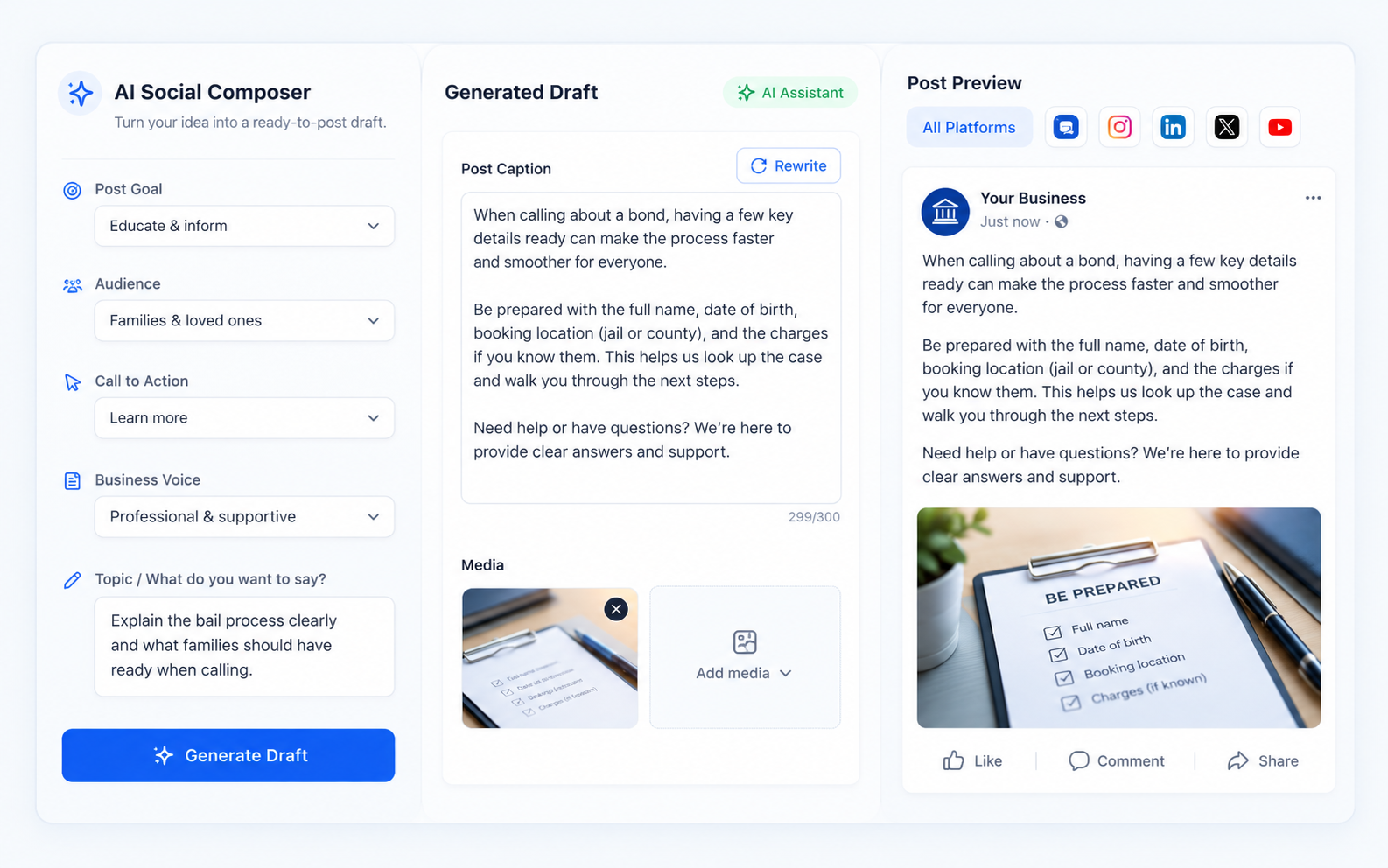
Use AI to prepare a starting draft from your topic, audience, goal, and business voice — or write the post yourself in the editor. Either way, review and refine it before it goes live.
Generate a starting draft.
Give BailBoss the topic, audience, goal, call to action, and business voice. It prepares a draft you can review and edit before publishing.
Start from scratch.
Open the social editor, write your own caption, add media, choose your connected accounts, and schedule it when you're ready.
Either way, you decide what gets published.
Share photos, video, Reels, Stories & Shorts.
Upload media, write the caption, preview the post, and schedule supported photo and video formats from the same workflow.
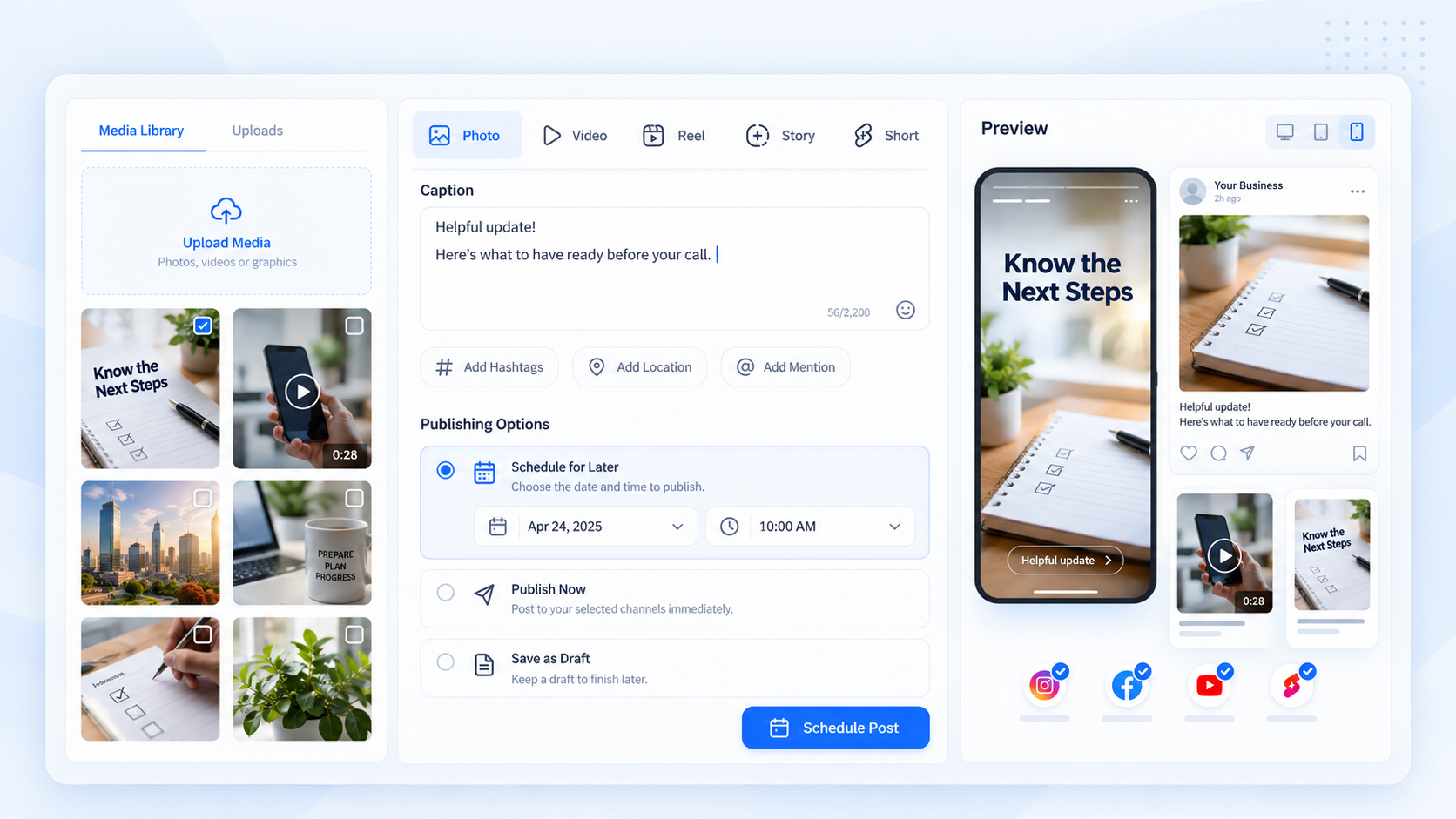
Available post types, media requirements, thumbnails, and publishing options vary by connected channel.
One idea doesn't have to look the same everywhere.
Adapt the caption, media, and format for each connected channel while managing the original idea from one place.

What to have ready before you call a bondsman — and why it helps your case move faster once you do.
Landscape photo
3 things to have ready before you call. 👇
Reel / vertical
Open 24/7. Have your ID, the charges, and the facility name ready — we'll handle the rest.
Business updateAvailable post types, media requirements, and publishing options vary by connected channel.
Build the calendar before the week gets busy.
Plan ahead instead of posting one at a time. Save drafts, schedule posts, keep evergreen content in rotation, repeat recurring posts, and prepare larger batches when you already know what needs to go out.


Review it before it goes live.
Review captions and media, request approval, leave notes, make changes, and schedule the post only when it’s ready.
Share for review · Leave notes · Approve or request changes
A post can become a real conversation.
Comments from supported connected channels can appear in BailBoss Conversations, giving your team one place to reply, keep the context of the original post, and continue the follow-up.
Reply to supported comments, keep conversations organized, and continue higher-intent follow-up through supported communication channels where available.
Explore AI Chat & Messages
Understand what people actually respond to.
Track available performance across connected channels, compare content, and see how results change over time.

Illustrative demo data shown. Available metrics vary by connected channel.
See which posts are driving clicks.
Track supported links shared through Social Media & Posting and compare click activity across posts and connected channels.
Compare which posts and channels are getting people to take the next step.
Social works better as part of your online presence.
People may find your agency in search, check your reviews, see your social content, visit your website, and then decide whether to contact you. Social media is one part of that larger journey.
Stay active without making social media another full-time job.
Create, schedule, publish, respond, and measure your social content from the same platform you use to run the business.
One place to manage the social workflow.
BailBoss brings content creation, scheduling, approvals, publishing, comments, and performance tracking into one connected workflow.